Getting Started
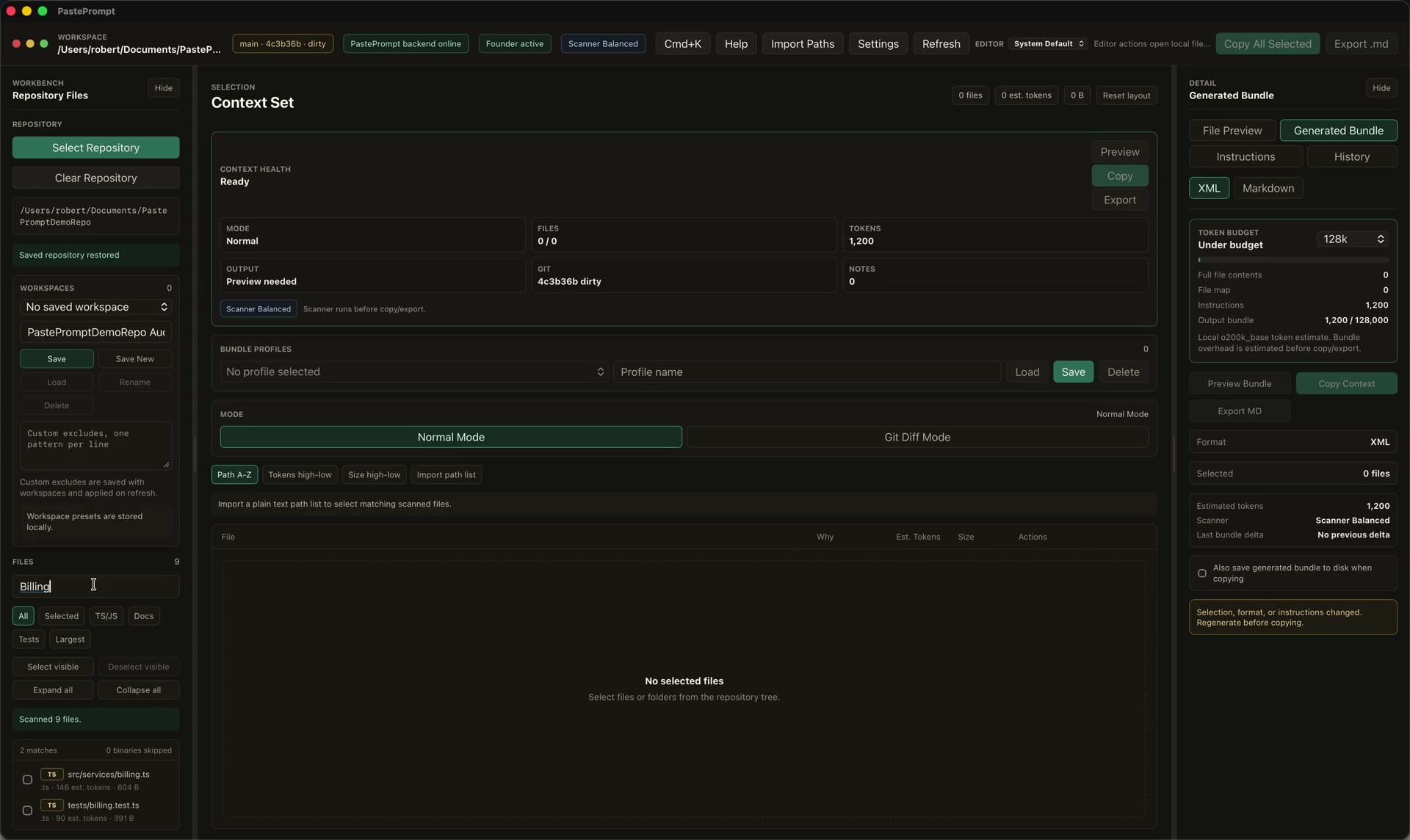
PastePrompt is a local-first macOS context builder for auditors and developers using LLMs on large codebases. It helps you open a local repository, select the files that matter, inspect token estimates, apply prompt templates, optionally run a local secret scan, and copy or export a structured bundle for the LLM tool you already use.
The goal is not to make the model "know the repo." The goal is to give auditors and reviewers a repeatable way to assemble the exact code, diffs, related files, metadata, and instructions needed for a specific review question.
Who PastePrompt is for
PastePrompt is built for technical users who regularly work with large repositories and LLM-assisted review:
- Security reviewers preparing focused selected code context.
- Security researchers reviewing modules, patches, and regressions.
- AI-heavy developers who want repeatable LLM workflows.
- Code reviewers who need clean PR or diff context.
- Small audit teams and consultants who need a review trail across multiple client repositories.
If you already copy files, diffs, tests, and instructions into ChatGPT, Claude, Codex, Cursor, or similar tools, PastePrompt is meant to make that workflow more deliberate and less error-prone.
Local-first model
PastePrompt runs as a macOS desktop app. Repository scanning, file selection, token estimation, preview, optional secret scanning, and context generation happen locally.
Source files stay on your Mac unless you copy, export, paste, attach, sync, or otherwise share a generated bundle outside the app.
PastePrompt does not require source code upload to a PastePrompt backend for V1. It can still produce content that you may decide to send to an external LLM service. Once you paste or attach a generated bundle into another product, that product's terms, settings, and retention behavior apply.
For the full privacy model, read Local-first model and Clipboard and export risks.
Basic workflow
Use this flow for most reviews:
- Open repo: select a local repository from disk.
- Select files: use the file tree, search, filters, and preview to choose only relevant files or folders.
- Check token budget: review file, folder, prompt, and bundle token estimates.
- Apply template: choose a prompt template or write instructions for the review question.
- Run secret scan: when scanner mode is enabled, scan selected files, diffs, and instructions before copy/export.
- Copy/export bundle: generate XML-like or Markdown context.
- Paste into LLM: use the bundle in ChatGPT, Claude, Codex, Cursor, Gemini, or another LLM workflow.
After that, validate any model output with normal review methods: source inspection, tests, traces, and manual reasoning.
What PastePrompt is not
PastePrompt is deliberately narrow.
- It is not a vulnerability scanner. It packages context; it does not confirm bugs.
- It is not a replacement for manual review. You still need to reason about code behavior and validate findings.
- It is not an LLM provider. You bring your own ChatGPT, Claude, Codex, Cursor, Gemini, or other tool.
- It is not a cloud sync app. It is designed around local repository access and local workflow state.
Secret scanning helps reduce risk, but it is not perfect. Always inspect generated bundles before pasting or uploading them anywhere.
Recommended first path
- Install PastePrompt on macOS.
- Build your first context bundle.
- Import a license if you purchased a paid plan.
- Review Update PastePrompt before switching release channels.